Looking at tooth bridge photos can help you understand how a replacement tooth may fit into a smile. But a photo shows only the visible result—not how a bridge is supported, whether it suits your teeth, or what treatment may involve. Here is a visual guide to common bridge designs, the details worth noticing, and the questions to bring to a dental consultation.
Schedule a visit to discuss your tooth replacement options
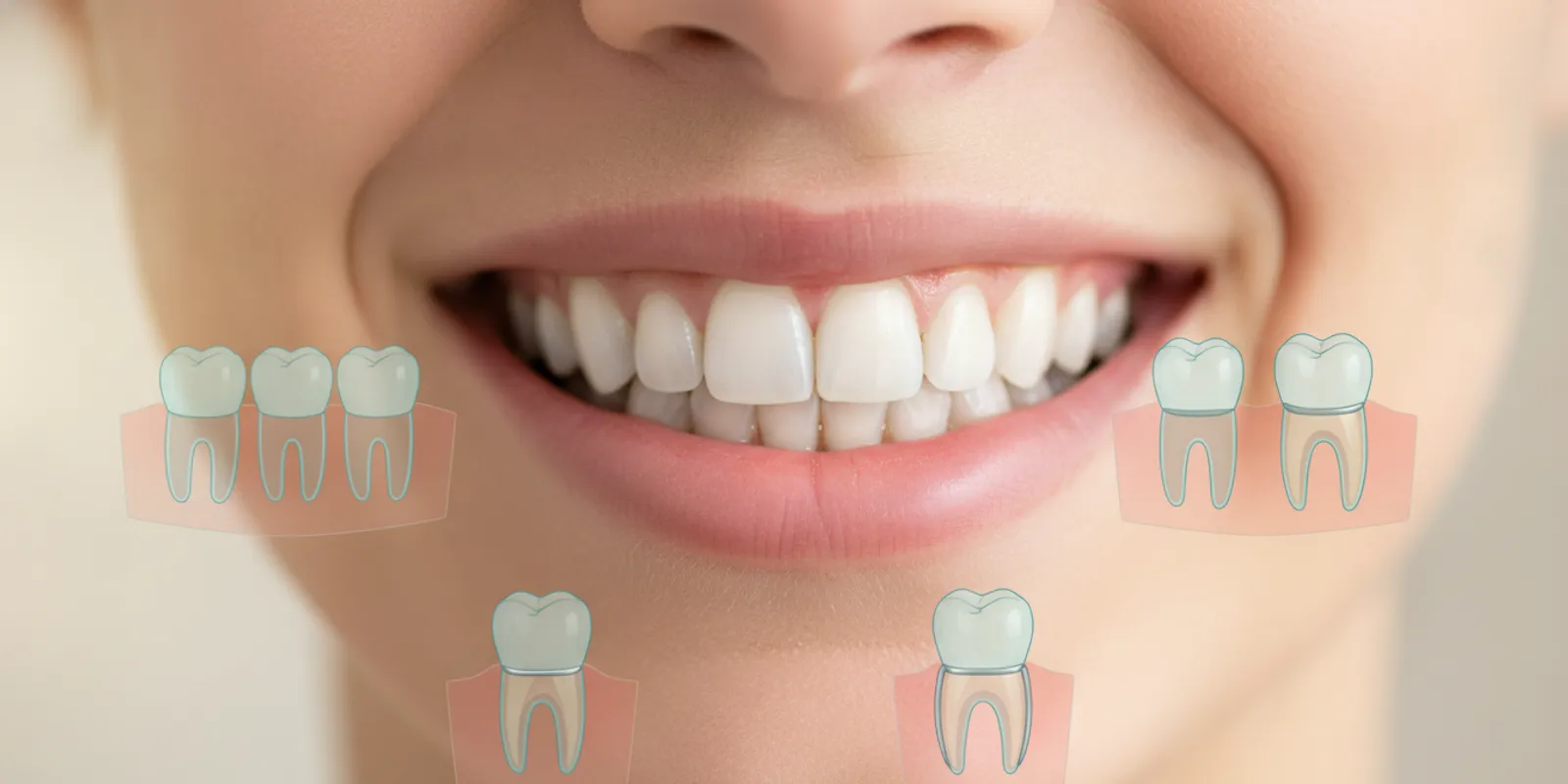
What can tooth bridge photos tell you?
A well-lit photo can give you a general idea of a bridge’s color, shape, position, and how it appears beside nearby teeth. A close-up may show the replacement tooth and part of the supporting structure. A wider smile photo can help you judge whether the visible teeth look balanced as a group.
Photos are useful for learning vocabulary and discussing preferences. They are not a reliable way to identify a person’s exact treatment or predict your own result. Different bridge designs can look similar from the front, even though they are supported in different ways. The back or underside of the restoration may not appear in the image at all.
- Visible shape: Does the replacement tooth look similar in width and contour to neighboring teeth?
- Color: Does its shade blend with the visible teeth in that particular lighting?
- Position: Does the tooth appear centered in the space, with a natural-looking relationship to the gumline?
- Limits: Can you see the supporting teeth, the back of the bridge, or the way it is attached? Often, you cannot.
Camera angle, lighting, editing, and the person’s natural tooth shapes all affect what you see. A single image may also be a temporary or staged view rather than a final result. Use photographs as conversation starters, not as a promise of what treatment will look like for you.
Try a simple photo-review process
When you first look at an example, separate what you can observe from what you are guessing. You can describe a visible feature, such as “the replacement tooth looks slightly shorter than the tooth beside it.” You cannot determine from the image alone how the bridge is attached or whether that shape would work for your bite. This distinction helps turn a photo into a useful question instead of a conclusion.
- Identify the view. Is it a close-up, a full smile, or a side view? Note whether the lips or cheek hide part of the restoration.
- Find the replacement tooth. Look at the empty-space location and compare its visible outline with adjacent teeth.
- Check the image conditions. Notice shadows, flash, color filters, and whether the two sides of a before-and-after pair use similar angles.
- Write down one or two questions. For example, ask whether the example shows a final bridge and what supports it.
- Leave clinical judgments open. Let an examination—not visual resemblance—guide discussion of suitability.
This method is useful whether you are browsing educational illustrations or discussing examples at an appointment. It also keeps the conversation focused on your priorities. You might care most about how the replacement tooth looks when speaking, while someone else may want to understand which teeth provide support. Naming that priority makes it easier for a dental professional to explain the relevant details.
Which common bridge designs might you see?
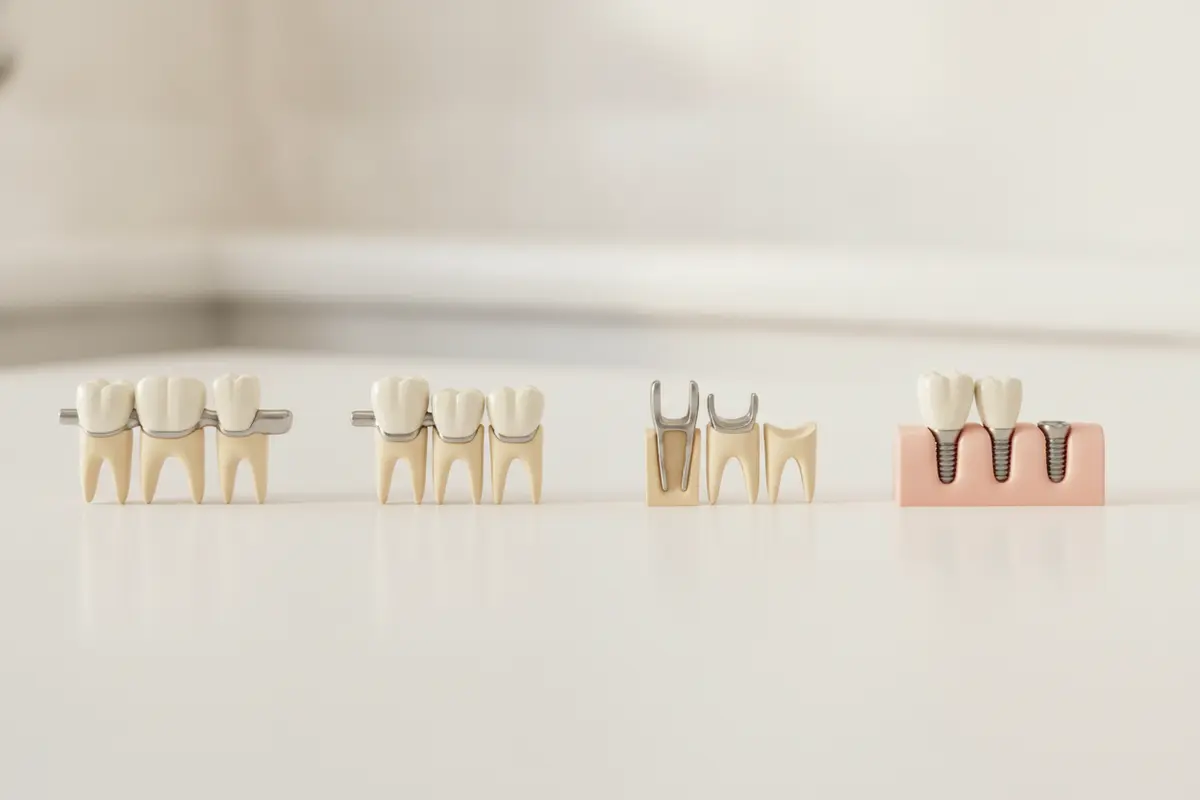
A dental bridge replaces one or more missing teeth by connecting a replacement tooth, or teeth, to a support. A government rule uses “fixed partial denture” and “fixed bridge” for a prosthetic replacement of missing teeth that is cemented or otherwise fixed in place; terminology and treatment planning can vary by setting. Read the Minnesota rule’s definition of a fixed bridge. A photo rarely reveals the complete support arrangement, so the name and clinical details should be confirmed with a dental professional.
Traditional fixed bridge
In a traditional bridge, a replacement tooth is joined to crowns placed over supporting teeth beside the gap. From the front, the bridge may look like a continuous row of teeth. In a side or underside view, the crowns on the supporting teeth may be more apparent. A front-facing smile photo alone may not show which teeth carry the bridge.
Cantilever bridge
A cantilever bridge is supported from one side rather than from supports on both sides of the space. The visible replacement tooth may look much like one in another bridge design. The difference lies mainly in the support arrangement, which is not always apparent in a photograph. Whether this design is appropriate depends on an individual clinical evaluation.
Maryland bridge
A Maryland-style bridge uses a replacement tooth with a framework or wings attached behind one or more neighboring teeth. Because the attachment is usually on the back, a straight-on photo may show the replacement tooth without showing how it is retained. A close-up from behind may reveal more, but only if the photographer can safely capture that view.
Implant-supported bridge
An implant-supported bridge is supported by dental implants rather than by crowns on natural teeth. The visible teeth can resemble those in other fixed bridges. The implants themselves sit below the gumline, so an ordinary smile photo cannot show their number, position, or condition. An examination and appropriate imaging are needed to assess those details.
For an overview of the practice’s implant services, visit the dental implants page. This is separate from identifying a bridge design in a photograph: the right support option depends on the person’s oral health and treatment plan.
What do “support” and “replacement tooth” mean?
Bridge descriptions often distinguish between the tooth that fills the gap and the parts that hold the restoration in place. The replacement tooth is sometimes called a pontic. The teeth or implants that provide support may not be visible in a typical smile photograph. When viewing an illustration, look for a diagram that clearly marks both the replacement tooth and its support; when viewing a patient image, ask what design it represents rather than trying to infer it from the smile alone.
For example, a front photo might show one replacement tooth between two natural-looking teeth. That visible arrangement does not establish whether the neighboring teeth have crowns, whether a framework is attached behind them, or whether implants support the bridge from below the gums. These differences matter to treatment planning, but a picture may leave them hidden.
How do bridge designs compare?
This table summarizes general design features, not a recommendation for a particular patient. The appearance varies with the location of the gap and the specific restoration.
Traditional fixed bridge
- General support: Adjacent teeth are covered with crowns and support the replacement tooth.
- What a front photo may show: A continuous row of teeth across the gap.
- What it may not show: The prepared supporting teeth or the underside of the bridge.
Cantilever bridge
- General support: Support comes from one side of the replacement tooth.
- What a front photo may show: A replacement tooth that may look similar to other designs.
- What it may not show: That the support is on one side, especially from a straight-on angle.
Maryland bridge
- General support: A framework or wings attach behind supporting teeth.
- What a front photo may show: A replacement tooth with little visible sign of the attachment.
- What it may not show: The framework on the back of the supporting teeth.
Implant-supported bridge
- General support: Dental implants support the restoration.
- What a front photo may show: The visible replacement teeth and their shade or shape.
- What it may not show: The implants beneath the gums and the underlying support plan.
These are broad descriptions. The type of restoration, the materials used, and the way it is supported should be confirmed for the specific case. Explore related information about dental bridges and options for missing teeth.
What should you look for when comparing photos?
When comparing images, focus on consistent details rather than searching for a perfect smile. First, check whether the examples show a similar location in the mouth. A bridge replacing a front tooth has different visibility concerns from one toward the back. Next, look for several angles when available. A close-up, side view, and natural smile can each answer different questions.
- Shade and surrounding teeth: Notice whether the image is brightly lit or filtered. Ask how shade selection is discussed and whether existing teeth affect the planned appearance.
- Shape and proportions: Look at the replacement tooth’s width and length compared with its neighbors. Natural teeth are not perfectly identical, so exact symmetry is not the only measure of a natural appearance.
- Gumline: Consider whether the photo shows the gumline clearly. Swelling, shadows, or the angle can change how it appears.
- Viewpoint: A front view can help with visible appearance, while a side or back view may reveal more about contours or attachments.
- Context: Find out whether the image is a final result, a temporary stage, or an illustration. Ask whether the example is relevant to the same type and location of restoration.
Do not assume that a bridge that looks attractive in a photo is suitable for your mouth. Support, bite, gum health, the condition of neighboring teeth, and other individual factors can affect the plan. Photos cannot assess those factors.
How can you compare before-and-after pictures fairly?
Before-and-after images can be helpful for talking about visible changes, but compare the photographs carefully. Check whether the person is facing the same direction, whether the camera is at a similar distance, and whether the lips are held in a similar position. A wider smile can expose more teeth and gum tissue than a relaxed smile. A change in lighting can make a tooth appear lighter even when the image does not provide enough information to judge shade accurately.
Also ask what the “before” image represents. It may show the mouth before any care, during a temporary stage, or after another restoration was removed. Ask when the “after” image was taken and whether it shows the final restoration. If the example is an illustration rather than a patient result, treat it as a design explanation, not a forecast. You do not need to decide whether the images prove a particular outcome; the practical question is which visual details you like and what questions those details raise for your own evaluation.
A short note can make comparisons more useful. Record the date or source of the example, the feature you want to discuss, and what is unclear. For instance: “I like this tooth’s softer outline, but I cannot tell whether this is a bridge or an implant crown.” This avoids assuming that appearance identifies the underlying treatment and gives the dental professional a clear starting point.
Why can the same bridge look different in different photos?
Lighting can make teeth look brighter or warmer. A camera held close can change proportions, while a side angle can make a tooth seem longer or more prominent. The lips, smile, and amount of gum visible also affect the overall impression. Even the screen used to view an image can shift how color appears.
There may be differences in the restoration itself, too. A bridge can be designed for a particular space and relationship with surrounding teeth. Its outline and visible surface can look different depending on the position in the mouth. A photo may not disclose the restoration’s material or how it was made. Avoid drawing conclusions about quality or durability based only on color or polish in a picture.
When viewing before-and-after examples, check whether both images use comparable angles and lighting. Ask whether the same teeth are shown and how long after treatment the second photo was taken. A dramatic difference between images may reflect photography as well as treatment.
Why is the tooth’s position in the mouth important?
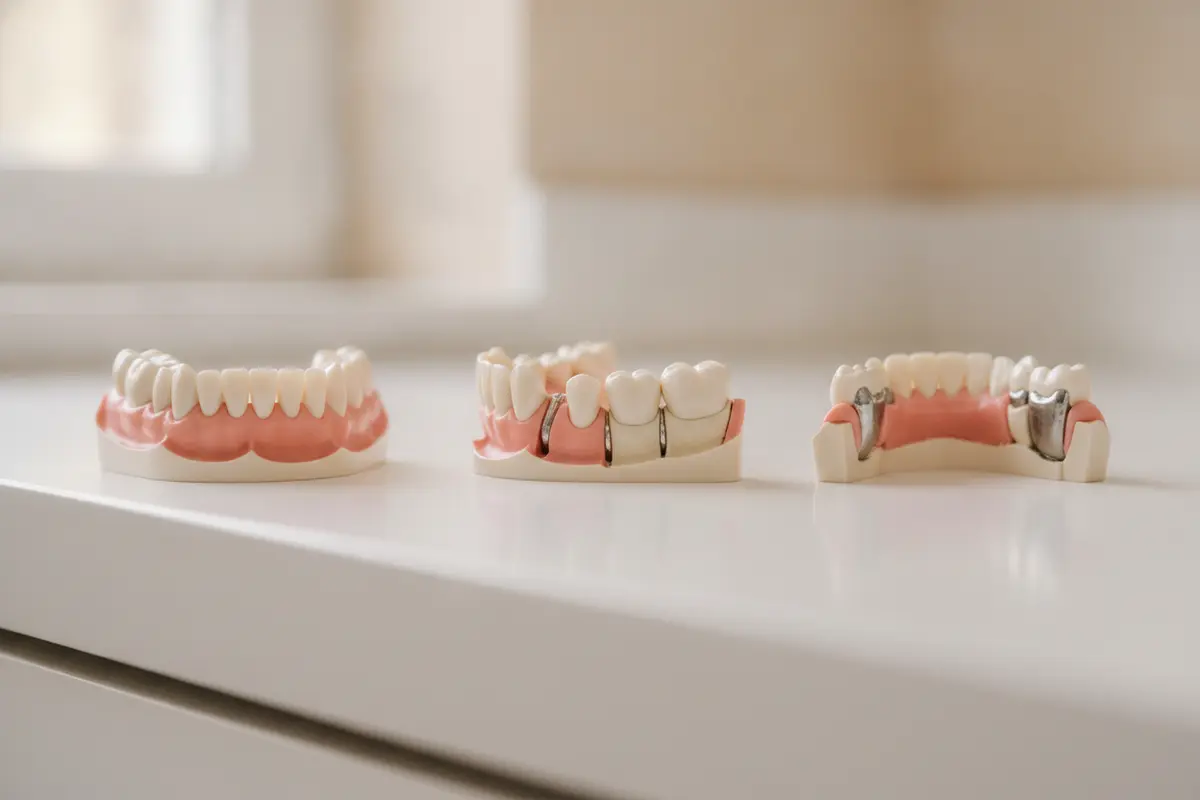
Photos of front teeth often emphasize color and symmetry because those teeth are prominent when a person smiles. A bridge farther back may be less visible in a full-smile image, so a photo may reveal little about its outline. The visible priorities can also differ: a front-facing view highlights the smile, while a side view may better show the way the replacement tooth relates to neighboring teeth.
That is one reason not to compare every image as though it were showing the same kind of case. A useful example should be similar in location and general purpose to the question you want to discuss. Even then, it can illustrate appearance but cannot establish that the same design or result is appropriate for you.
What can’t a photo tell you about fit or suitability?
A photograph cannot show whether the bite feels comfortable, whether a bridge fits closely, or whether the supporting teeth and gums are healthy. It cannot establish whether a specific design is appropriate or whether additional care is needed. Those questions require a dental history, examination, and, when indicated, diagnostic imaging.
If you already have a bridge, a photo may help you point out a visible concern, but it cannot diagnose the cause. Contact a dental professional if a bridge feels loose, causes discomfort, or changes how your teeth come together. Avoid trying to adjust or reattach it yourself. If it comes out, keep it safe and ask the dental office what to do next.
For background on imaging, see the practice’s page about dental X-rays. Whether imaging is appropriate is determined during care; a photo from a website is not a substitute for that process.
What information can an appointment add?
A dental visit can put a photo in context. The dental professional can ask about your goals and history, examine the relevant teeth and gums, and discuss whether diagnostic images are useful. The conversation can also clarify what a sample photo shows, what cannot be seen in it, and how the visible design relates to the support underneath. No single online image replaces this individual assessment.
If you are unsure what to bring, save a small number of examples rather than a large collection. Choose images that show a feature you can name: color, outline, how much of the tooth is visible, or how the bridge looks in a natural smile. Note whether each is a front view, side view, or illustration. This makes it easier to compare what you like with what is clinically feasible, without treating the example as a guarantee.
What should you ask at a consultation?
Bring a few photos that illustrate what you mean, such as a color or shape you like. Explain which feature matters most to you. Then ask the dentist to relate the examples to your own mouth and clarify what the images cannot answer.
- Which bridge designs could be considered for this space, and what supports each one?
- What parts of the restoration would be visible when I smile or speak?
- What can the examination and imaging show about the supporting teeth, gums, and bite?
- Are the example photos final results, and do they show a comparable location and design?
- What care and follow-up would be part of the proposed treatment?
- What alternatives should I understand before deciding?
You can make the discussion more organized by grouping your questions into appearance, support, and next steps. Under appearance, note the shade or shape you prefer. Under support, ask what holds the replacement tooth in place and which parts are hidden from view. Under next steps, ask what information is still needed before a recommendation can be made. This structure helps ensure that a visually appealing example does not overshadow questions about how a restoration functions.
It can help to write down your questions and bring a list of medications or relevant health information. If you are reviewing replacement choices, the practice’s page on dentures and implants offers another starting point for a conversation. You can also review available financing information when discussing costs; ask the office about details that apply to your proposed care.
Contact the practice to arrange a consultation
Frequently Asked Questions
Can I identify a bridge type from a smile photo?
Usually not with confidence. The visible teeth may look similar across designs, while the supporting crowns, framework, or implants may be hidden. Ask a dental professional to explain the design shown if you need to know how a particular bridge is supported.
Do tooth bridge photos show what my result will look like?
No. They can help you discuss appearance, but each person’s teeth, gums, bite, and treatment plan differ. A consultation is needed to talk about what may be realistic for your situation.
Why does a bridge look more noticeable in some pictures?
Lighting, camera angle, image editing, and differences in tooth shade or shape can all affect how noticeable a restoration seems. Compare images taken in similar conditions and ask whether the example is a final result.
Can a photo tell me whether my bridge is loose or damaged?
A photo may show an obvious visible change, but it cannot reliably evaluate stability, fit, or the cause of a problem. Contact a dental office for guidance if your bridge feels loose, uncomfortable, or different than usual.
Ready to discuss your options?
Tooth bridge photos are most useful when they help you describe what you hope to learn or achieve. Bring your questions to an appointment so a dental professional can assess your situation and explain the options that may be appropriate. Lowell Family Dental Practice can help you arrange a visit and discuss tooth replacement care.
Book a visit and meet Dr. Gammas and the dental team
Use photographs to guide a conversation, then rely on a personalized examination—not an image alone—to make decisions about your dental care.
Written by
Dr. Iham Gammas, DMDBoard-Certified Implant Dentist & Founder, Lowell Family Dental Practice. Fellow & Master of ICOI and IADI. Associate Fellow of AAID.